Step 2: We Just Ask That Your App Actually Works
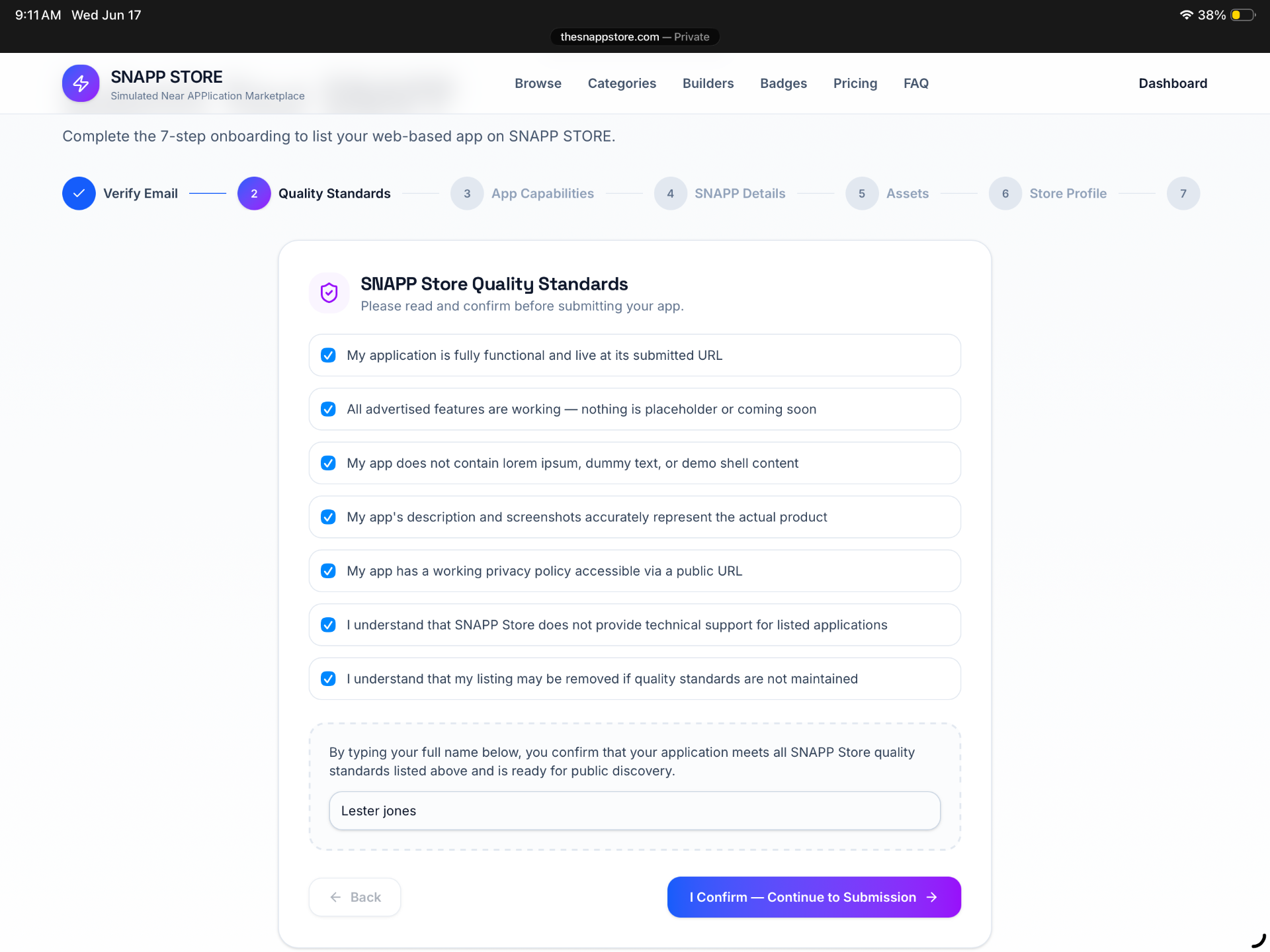
No fine print surprises. We check that your app is live, functional, and accurately described — that's it. Quick checkboxes, then you're through.
No commitment required to look. Here's the real 7-step process, start to finish — then decide if it's for you.
No fine print surprises. We check that your app is live, functional, and accurately described — that's it. Quick checkboxes, then you're through.
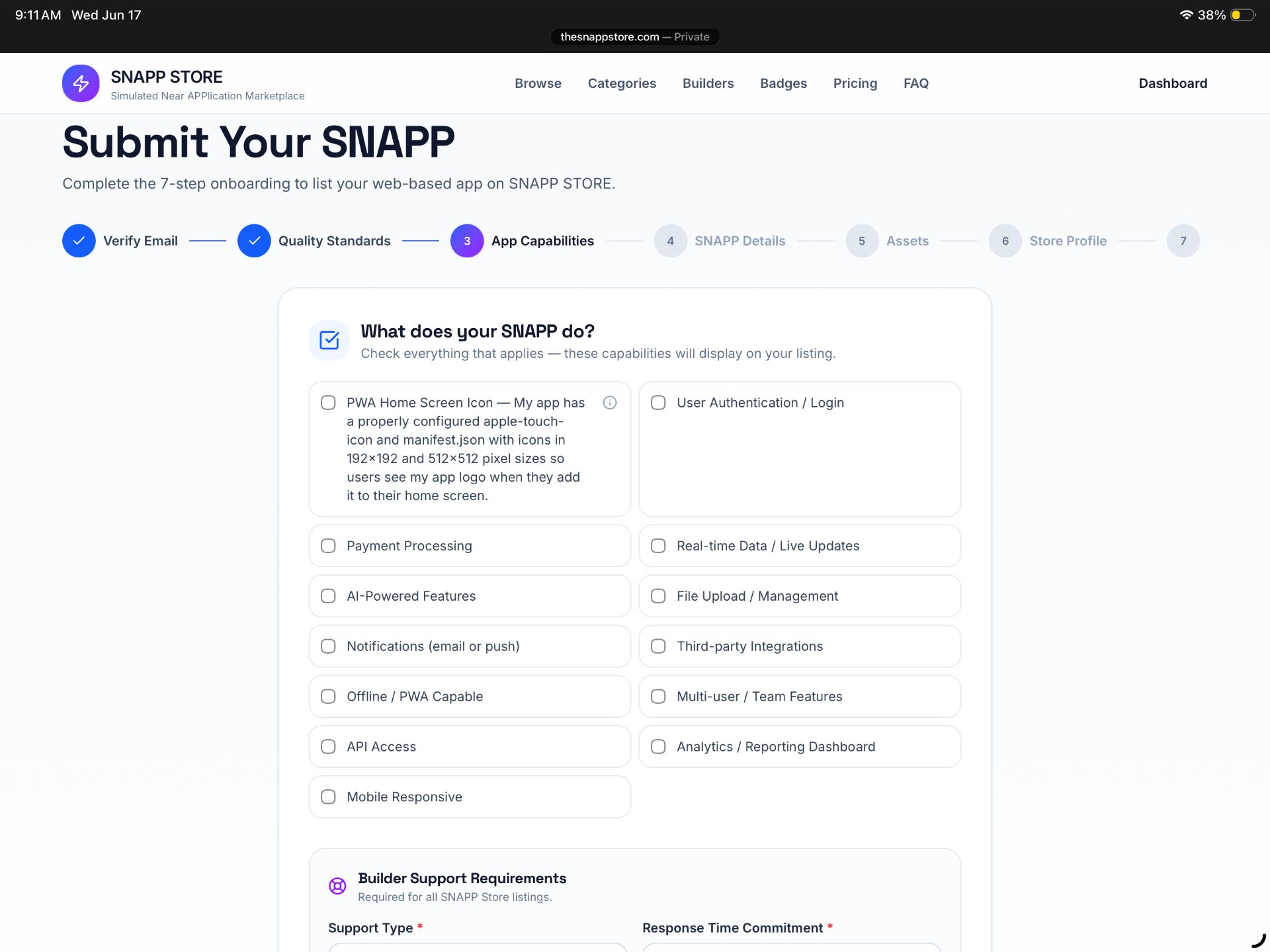
Check off your app's features — payments, AI, notifications, whatever applies. These show up right on your listing so users know what they're getting.
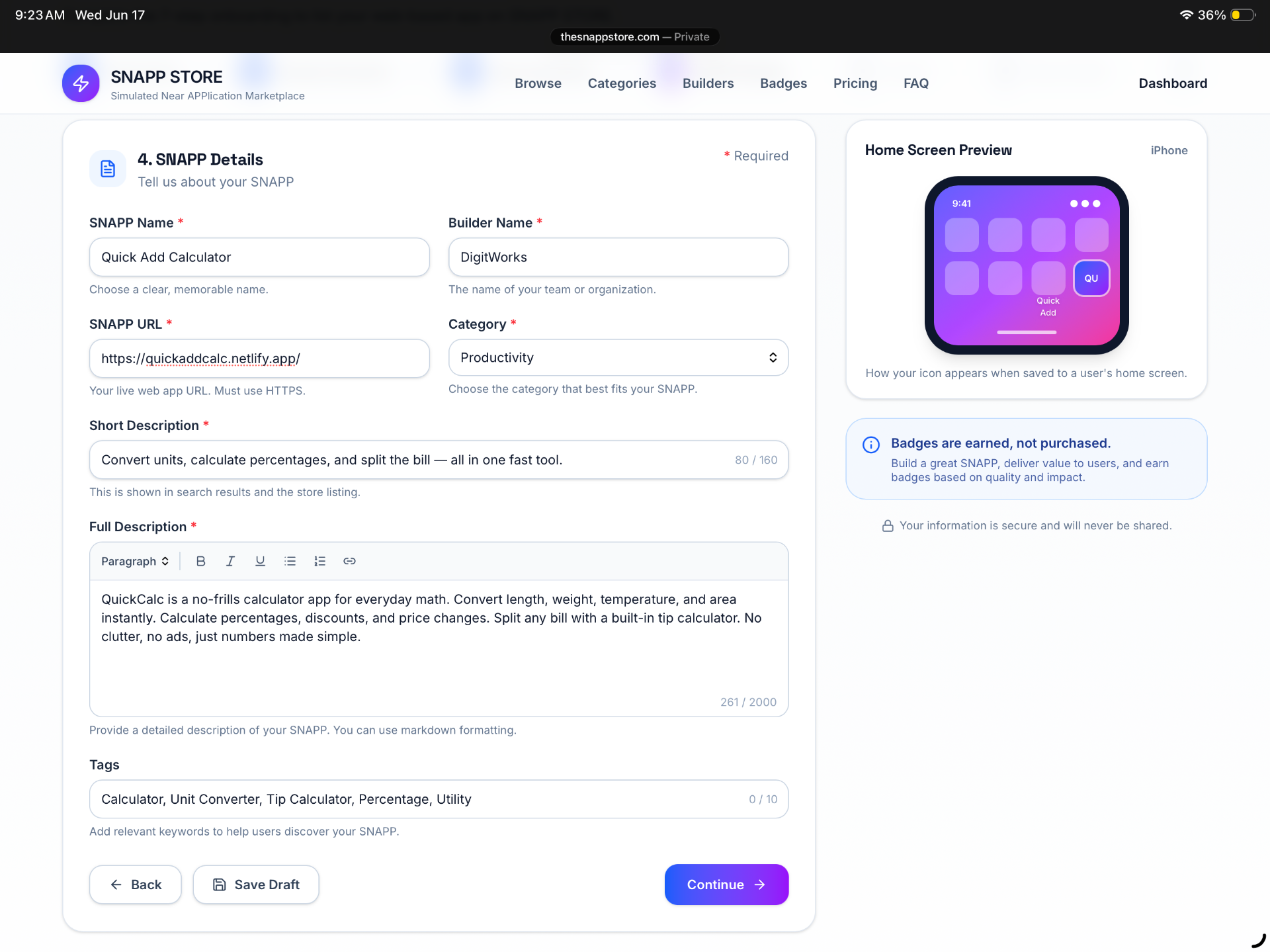
Name, category, a short pitch, a full description. You're in control of how your app gets introduced to the marketplace.
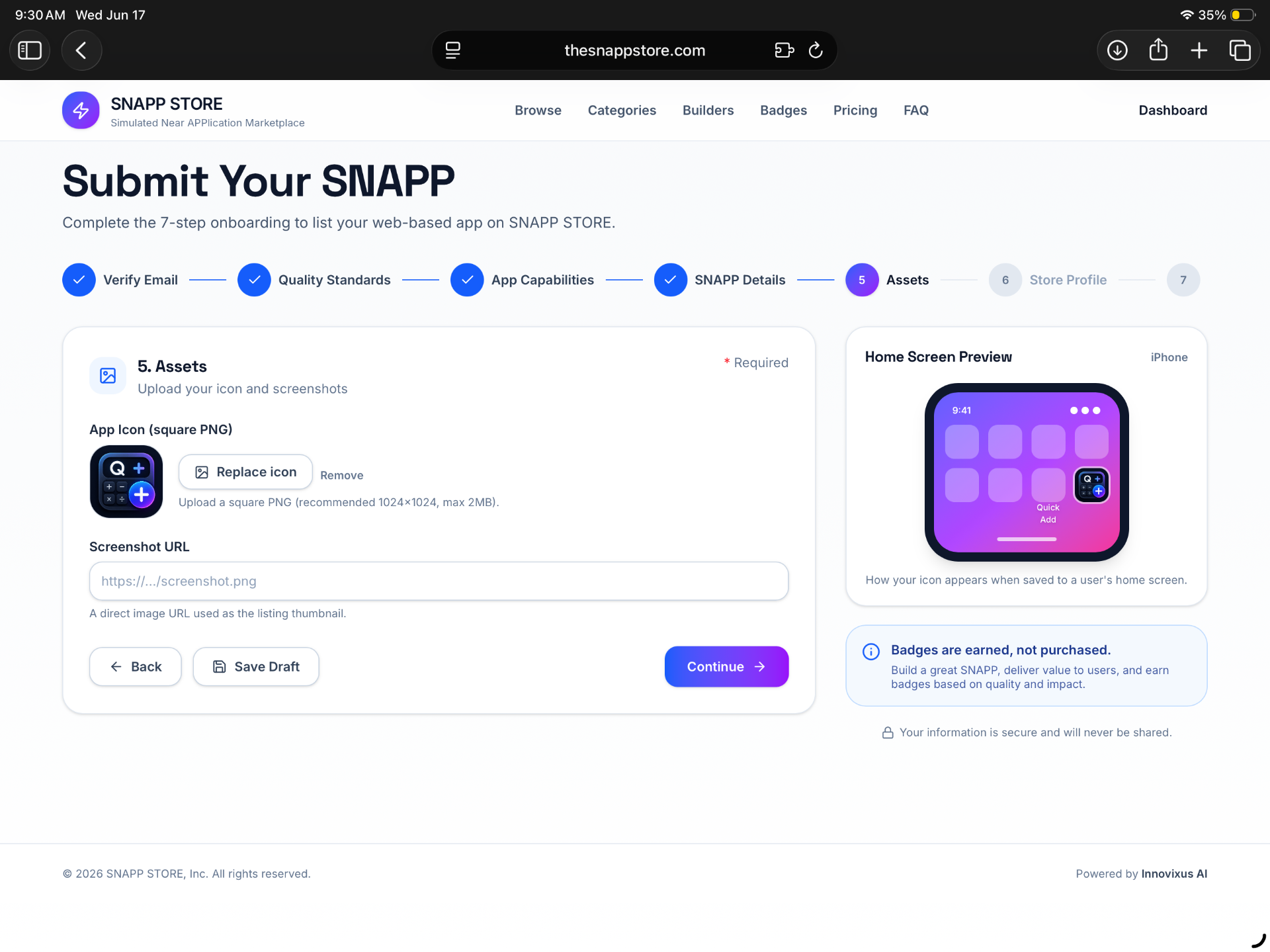
One square image. See exactly how it'll look on a user's home screen before you ever go live.
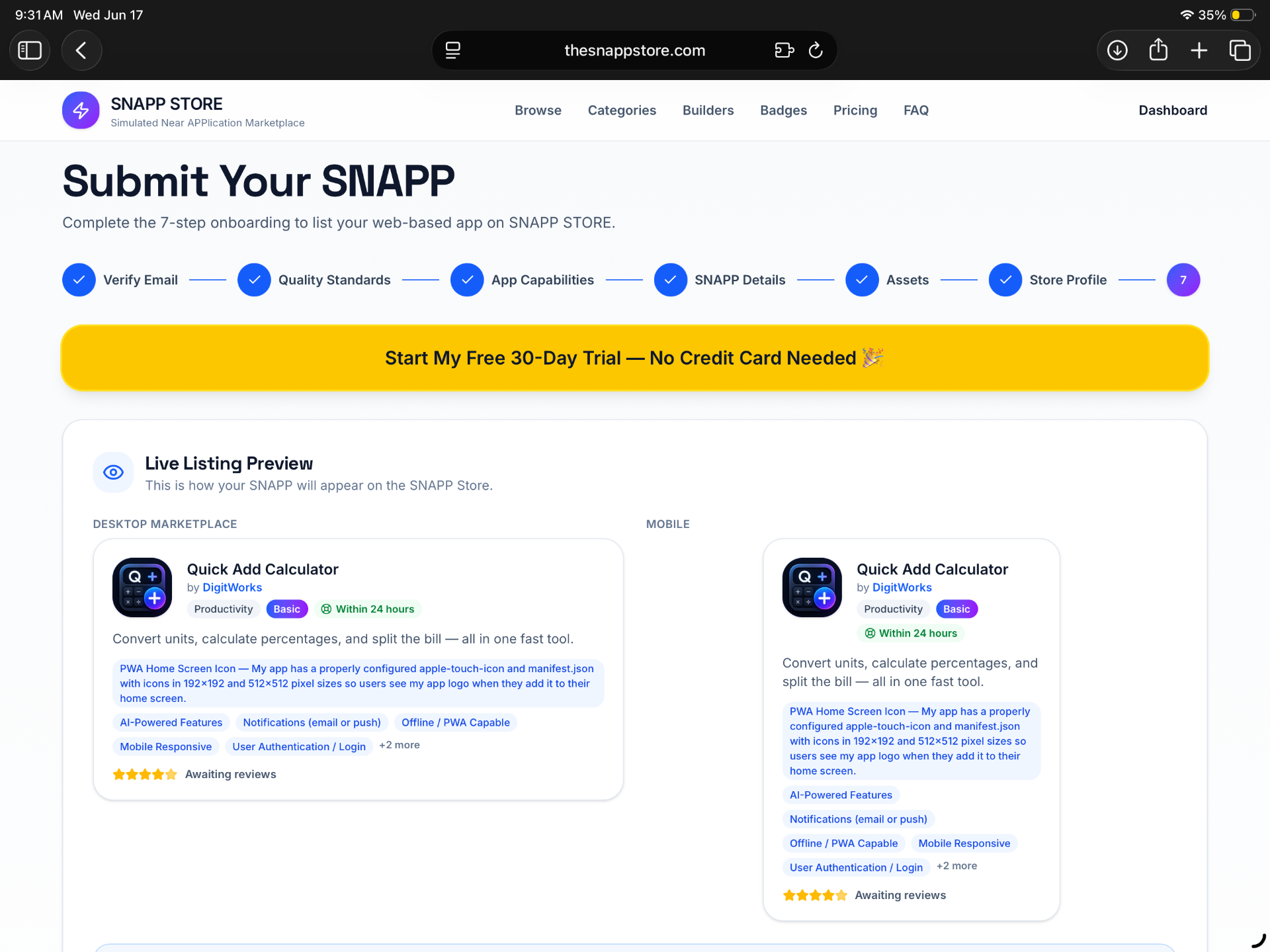
Desktop and mobile, side by side — exactly how shoppers will see your listing the moment it's approved.
No credit card required. Upgrade anytime.